


Choose Grooves earbuds if a compact charging case and separate earpieces suit your day. Choose headphones if you prefer a headband and earcups. Then compare the exact model’s fit, connection options, charging input and current price. Neither format alone guarantees better sound, calling or battery life.
This guide helps you compare the Grooves earbuds collection and Grooves headphones collection without treating every product as if it has the same features.
Earbuds or headphones: start with how you listen
A product that is easy to carry may suit a commute, while a different wearing style may feel more comfortable at a desk. Before comparing specifications, think about how long you normally listen, where you store your audio gear and whether you need a microphone for calls.
| What matters | TWS earbuds | Headphones | Neckband earphones |
|---|---|---|---|
| Wearing style | Separate earpieces worn at or inside the ears | Headband with on-ear or over-ear cups | Earpieces connected to a band around the neck |
| Storage | Usually stored in a charging case | Check the model’s size and folding design | Check band shape and how you carry it |
| Fit to compare | Earpiece shape and supplied ear tips, where applicable | Cup shape, cushions and headband adjustment | Band comfort and earpiece fit |
| Battery information | Separate listening time per charge from extra case charges | Check runtime and the stated test conditions | Check music, calling and standby figures separately |
If you prefer connected earpieces without a headband, browse Grooves neckbands as a third option. Confirm the wearing style on the individual product page, because collection names can group several kinds of audio products.
Two Grooves models to explore
Grooves Alpha 200 with ANC
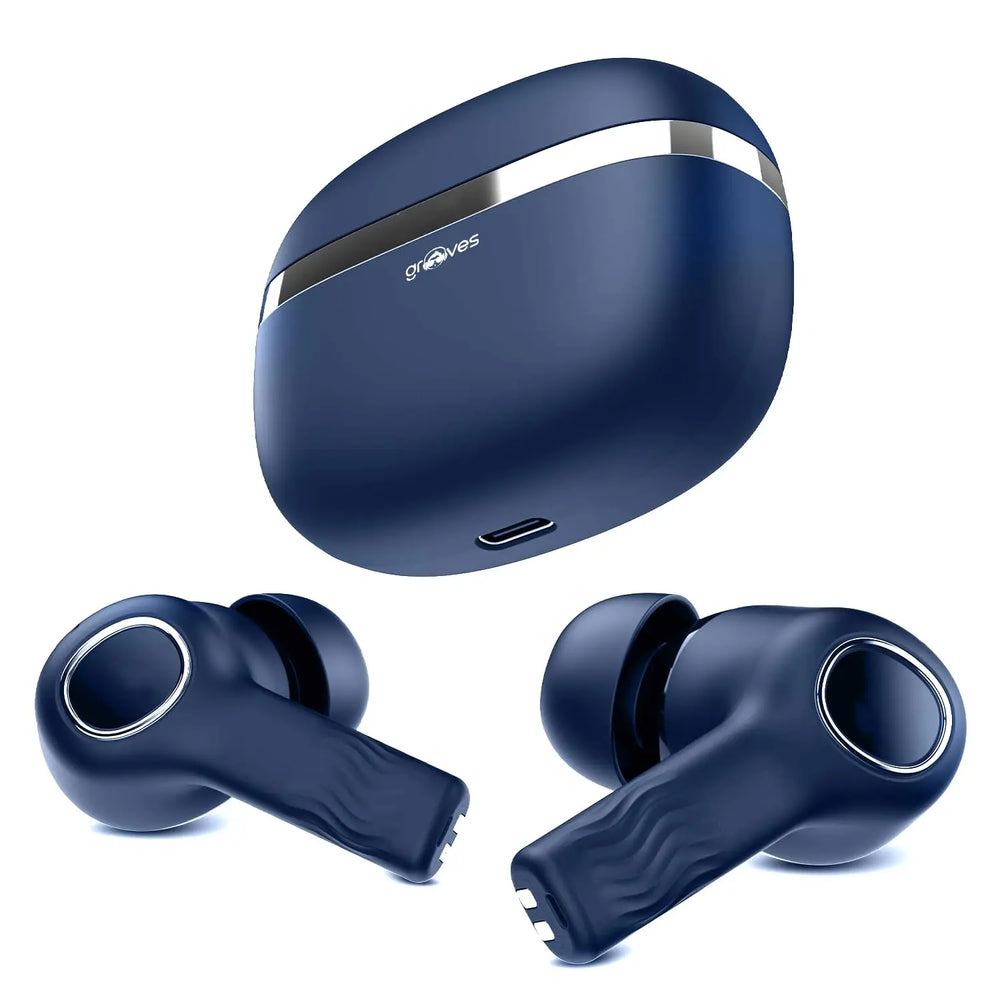
The Alpha 200 listing shows earbuds with a charging case. Its current key specifications list a USB-C charging input and a six-month brand warranty. Open the Grooves Alpha 200 product page to check the selected option, package information, current price and availability.
Although ANC appears in the product name, compare the exact model’s documented noise-cancellation information before deciding whether it meets your needs. Do not transfer battery, microphone or water-resistance specifications from a different Grooves model.
Grooves Alpha 100X headphones
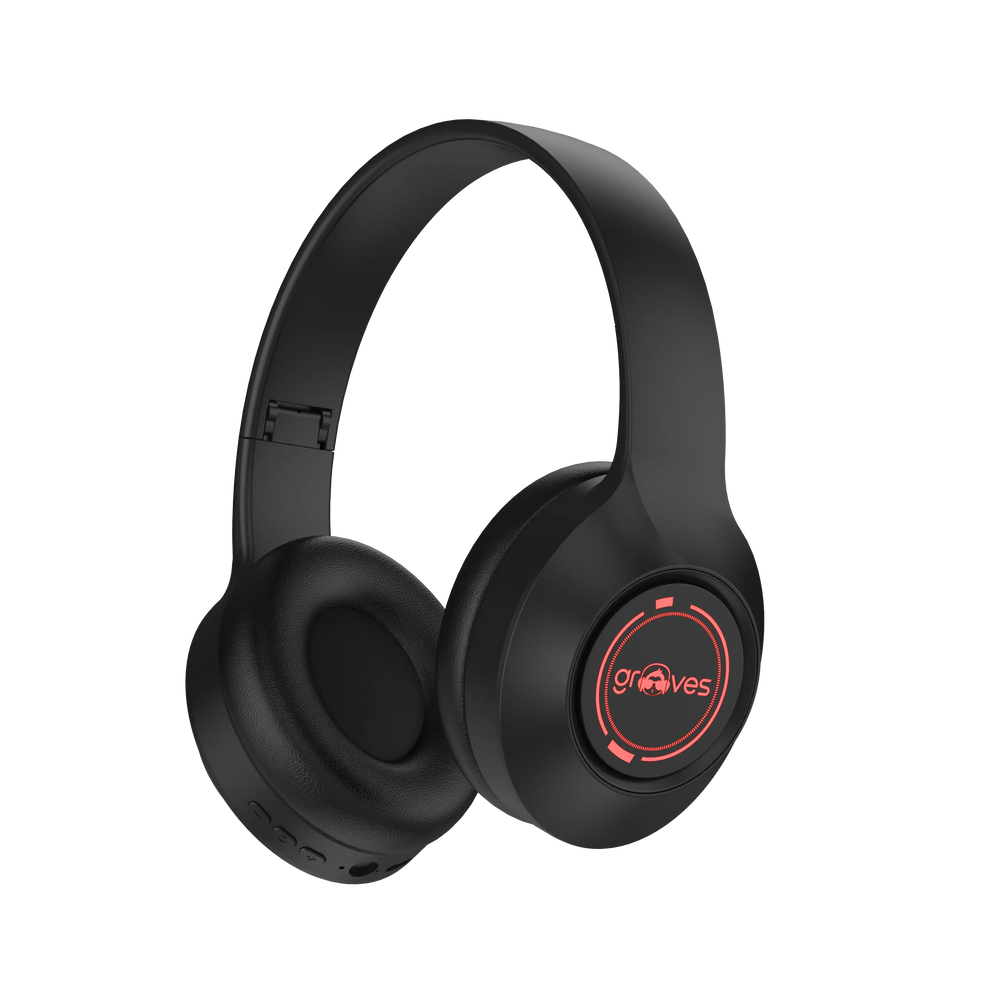
The Alpha 100X listing shows a headband-and-earcup design. Its current key specifications also list USB-C charging and a six-month brand warranty. Use the Alpha 100X product page for the current price and selected variant rather than assuming that all Alpha products have the same construction or features.
Searching for metal headphones? Check the construction
“Metal headphones” can describe a metal headband, a reinforced frame, a housing finish or simply the wording used in a product name. Those are different things. A metallic appearance in a photograph does not establish which parts are metal, and a product name containing “Metal” is not proof that the entire headphone is metal.
If construction matters to you, check the exact listing for a stated material, look at the adjustment points and hinges, and ask Grooves support about the specific model. Do not assume that a heavier frame means better sound or that a metal component makes a product waterproof.
How to compare Grooves prices fairly
- Match the exact model. Alpha, Vibe, Robo and Metal are model-family words, not interchangeable specifications.
- Choose the variant first. Check the displayed price, stock status and what is included for that option.
- Read the package contents. A combo can contain different items from a single-product listing. Review each component in the combos collection.
- Check the total at checkout. Review delivery charges and available payment choices for your order.
- Confirm the terms. Read the shipping policy and refund policy before purchasing.
Use all Grooves products to compare the live catalogue. Prices and availability can change; this guide does not promise a fixed discount, coupon, free shipping or a particular payment facility.
Pairing and charging: useful checks before you buy
For Bluetooth pairing, charge the product according to its instructions, put the exact model into its documented pairing mode and select its name in your device’s Bluetooth settings. If it is already connected elsewhere, disconnect that device before trying again. Button sequences, reset procedures and indicator lights vary between models, so follow the supplied instructions rather than a generic long-press duration.
For charging, check the required input and cable. USB-C describes the connector; it does not mean every charger provides the same power mode. If you need another adapter, compare the charging adapters with your device and product requirements. Ask support if an input specification is missing.
Frequently asked questions
Are Grooves earbuds or headphones better for calls?
Compare the exact model’s microphone information and your calling environment. Earpiece size, a headband design or a battery figure does not by itself establish microphone quality. If a calling feature is essential and is not documented, confirm it before buying.
Does every Grooves audio product have ANC or ENC?
No feature should be assumed across the range. Check the exact model and distinguish listening noise cancellation from microphone noise-reduction claims. Ask for clarification if the listing does not explain the feature you need.
Where can I get Grooves customer support?
Use the official contact page for the current support details. Include your product link, device model and a clear description of the issue. For an existing service request, use the warranty and ticket status page.
Next step: shortlist the fit you prefer, compare the exact product specifications and open the selected variant before ordering. Start with earbuds, headphones or neckbands.